
Blueprints & store
A blueprint is an automation saved as a file, so you can back it up, move it between servers, or share it with someone else.
Exporting
Open an automation and choose Export blueprint. camera.ui downloads a .blueprint.json file containing the flow's nodes and connections, but not its secrets, such as webhook keys.
Importing
On the Automations list, choose Import blueprint and pick a .blueprint.json file. It is added as a new automation, disabled. Imported flows get fresh internal IDs, so importing the same blueprint twice won't clash.
Sharing
Export the automation and send the file; the other person imports it on their server.
Community blueprints
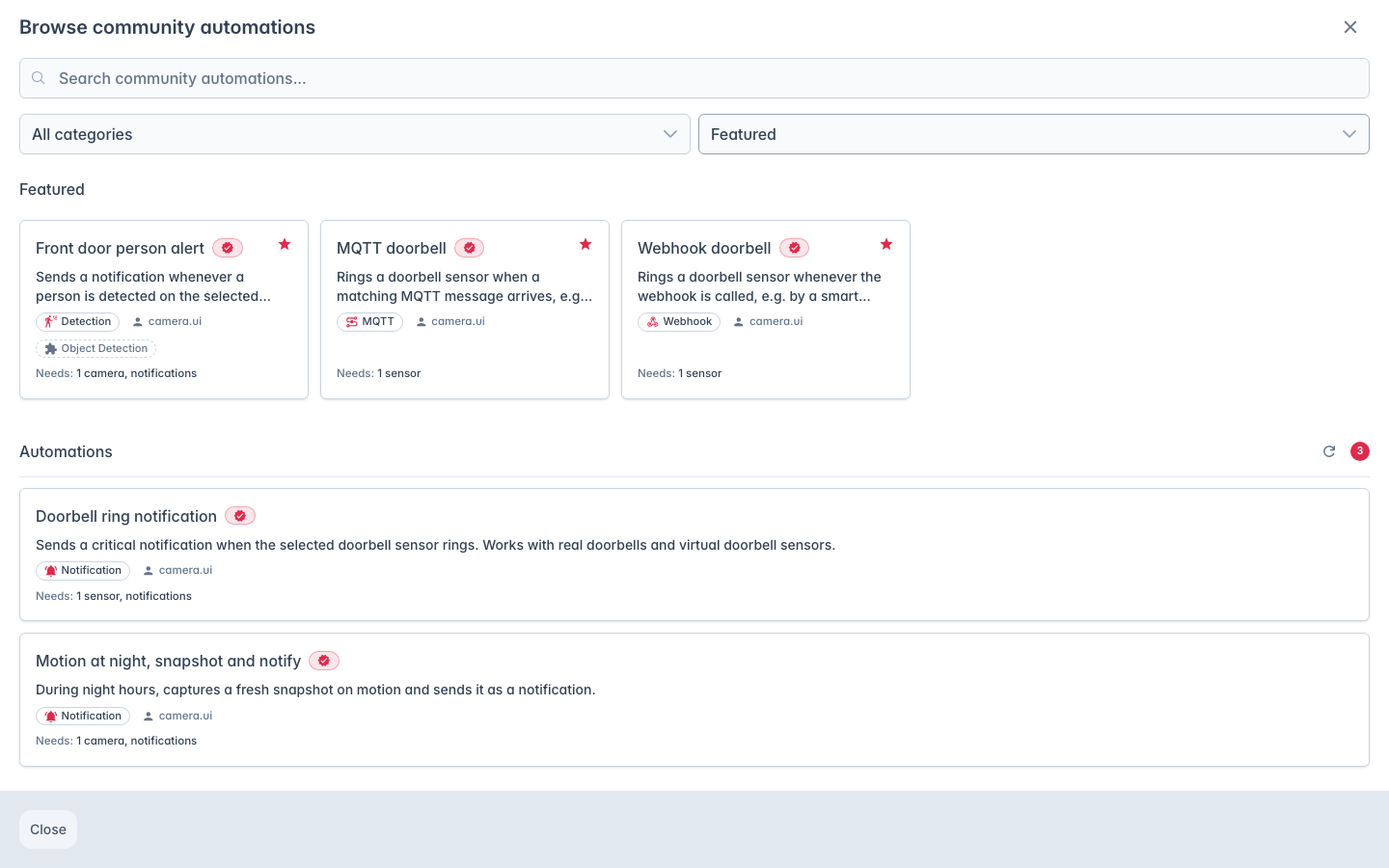
Browse community automations on the Automations list opens the store of blueprints shared by the camera.ui community.
A blueprint's page lists what it needs: required plugins (with a link to the plugin store if one is missing) and required inputs such as a camera, notification recipients or a sensor. Import then asks for your own cameras, sensors, plugins and recipients, plus plain values such as an MQTT topic, some prefilled with a default. The page doesn't list the plain values, so expect a few more fields during import. A blueprint with no references to bind imports directly. Either way it lands disabled.
The store is a public repository, cameraui/automations, that camera.ui reads at runtime. There is no upload from inside the app: to add one, open a pull request against that repository with your exported blueprint.